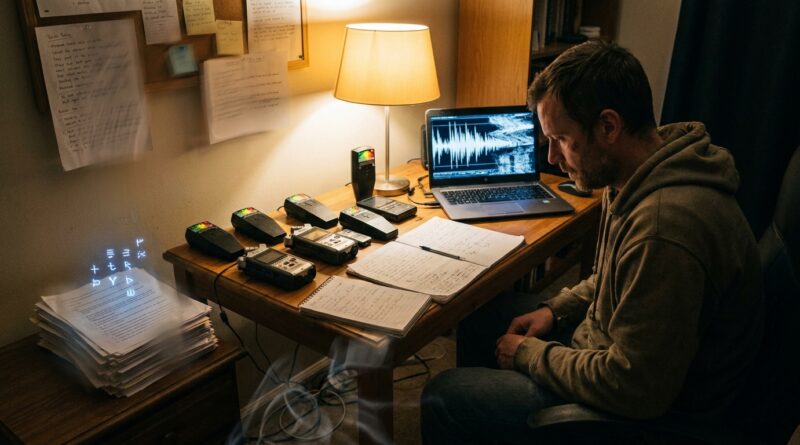
The Paranormal Fights Back: Why Investigators Keep Getting Glitched By An ‘Unseen Interference’
You set up the recorders. You check the batteries twice. You get the kind of session investigators dream about, odd sounds, strange timing, a feeling that something real just happened. Then you get home and the file is gone, the audio is shredded with static, or the camera somehow stopped right at the important moment. That kind of failure is not just annoying. It is maddening. And if you talk to serious ghost hunters, poltergeist researchers, and high-strangeness field teams, you hear the same story again and again.
What makes this worth taking seriously is not that every glitch proves a haunting. It does not. Consumer gear fails all the time for boring reasons. But there is a growing body of reports, and some early research, suggesting that repeated clusters of device trouble around intense cases may deserve a better label than “bad luck.” Call it unexplained interference, call it paranormal blowback, call it investigator frustration with a pattern. Either way, the smart move is the same. Treat it like a real field problem. Measure it. Prepare for it. Build protocols that help you separate ordinary tech failure from the cases that keep fighting back.
⚡ In a Hurry? Key Takeaways
- Reports of paranormal investigators data corruption unexplained interference are common, but most glitches still need to be ruled out with basic tech checks first.
- Use redundancy. Record the same event on multiple devices, with synced timestamps, spare power, and immediate backups.
- The goal is not to “prove ghosts” from a broken file. It is to document patterns carefully enough that weird failures become usable evidence, not just stories.
Why this problem feels so personal
If you have ever lost a perfect capture to a random glitch, you know the special kind of anger it creates. It is not like dropping your phone in the sink. It feels targeted. The one clip you needed is the one that breaks. The one battery pack that was full is the one that drains. The one memory card with the best session is the one that corrupts.
That emotional reaction matters because it can push people in two bad directions. One is to assume every glitch is paranormal. The other is to get embarrassed and stop talking about it altogether. Neither helps.
A better approach is to treat unexplained interference the way a good IT person treats an unstable network. Don’t mock the user. Don’t jump to wild conclusions. Start by logging the failures, checking the obvious, then looking for patterns the naked eye misses.
What investigators keep reporting
Across ghost hunting groups, private case files, podcasts, and field notes, the same failures show up again and again:
- Batteries that die unusually fast in active locations
- Freshly charged gear that will not power on
- Audio files with sudden static bursts, clipping, or missing sections
- Video that freezes, drops frames, or stops at key moments
- SD cards that suddenly need reformatting
- Metadata with incorrect timestamps
- Phones losing signal or behaving erratically
- Entire folders that seem to vanish between field and review
None of that is impossible in normal tech use. In fact, all of it is common enough. That is exactly why this topic is so tricky. The mystery is not that electronics fail. The mystery is when failures seem to cluster around certain places, times, people, or moments of apparent activity.
What “paranormal blowback” might actually mean
“Paranormal blowback” is a useful working phrase, not a proven scientific category. Think of it as shorthand for a repeat pattern: the deeper the investigation goes, the more the tools themselves seem to become unstable.
There are a few ways people try to explain this:
1. Ordinary technical causes get mistaken for something spooky
This is the simplest explanation, and often the right one. Cheap SD cards fail. Lithium batteries hate heat and cold. Phones get aggressive about background power management. Electromagnetic noise from old wiring can mess with audio gear. Human stress also leads to setup mistakes.
2. Environmental factors may be stronger than expected
Some allegedly haunted locations are also full of things that electronics dislike. Damp walls. Old mains wiring. radio frequency noise. Metal framing. Magnetic fields from appliances, panels, and hidden electrical runs. If you are not measuring those, you may be calling a building problem a ghost problem.
3. The interference may be part of the phenomenon
This is the possibility that keeps coming up in serious case talk. Some researchers argue that odd events may interact with electronics in ways we do not yet understand. Not magic. Not proof. Just an open question. If consciousness, environment, and instrumentation are all in the mix, then “data corruption” might sometimes be part of the event rather than a side effect.
What science can say, and what it cannot
Here is the sober version. There is no mainstream scientific agreement that ghosts are draining batteries or deleting WAV files. But there is a real science of instrument error, observer bias, environmental contamination, and hard-to-reproduce anomalies. Those are not jokes. They are the daily reality of field research in every discipline.
The useful lesson is this. If a weird pattern keeps showing up, you do not throw up your hands. You tighten the method.
That means documenting baseline battery discharge. Logging temperature and humidity. Tracking which brands of cards fail most often. Comparing isolated failures with clustered failures. Time-syncing devices so that one “lost” file can be checked against three others.
In other words, if unseen interference is real, better process is how you catch it. And if it is not, better process saves you from fooling yourself.
The biggest mistake investigators make
They treat gear failure as a spooky anecdote instead of a data point.
Imagine two teams. Team A says, “Our recorder died right when we asked a question.” Creepy, sure. Team B says, “At 11:42 p.m., recorder 2 shut down with 63 percent battery remaining. Recorder 1 and body cam continued. RF meter showed no spike. Ambient temp dropped from 69 to 64. A control recorder in the van remained stable.”
Which team gives you something you can actually study?
This is where paranormal investigators data corruption unexplained interference stops being campfire talk and starts becoming a research problem.
A practical field protocol that actually helps
Use the rule of three
For every important stream of evidence, try to have three versions:
- Primary device
- Secondary backup device
- Independent control device in a separate area
If one file breaks and the other two are clean, you probably have a device issue. If all three show odd behavior at the same moment, that is much more interesting.
Standardize your storage
Use name-brand memory cards only. Retire cards early. Format them in-device before sessions. Never mix old mystery cards from a drawer with active case work. A lot of “paranormal corruption” is just flaky flash memory wearing out.
Power like you expect trouble
Bring more power than you think you need. Keep batteries warm in cold weather. Label charge cycles. Note exact battery percentages before and after sessions. “It died fast” is weak evidence. “It dropped from 88 percent to 9 percent in 14 minutes while identical control gear did not” is much stronger.
Sync the clock on everything
This sounds boring, but it is huge. Set all cameras, phones, audio recorders, and laptops to the same time source before every investigation. If one device glitches, synced timestamps let you cross-check what the other gear was seeing in that same second.
Back up before you even leave the site
If possible, copy files to a laptop or SSD in the car before driving home. Then keep the original media untouched until review is done. A lot of “the entity erased my file” stories are actually handling errors that happen later.
Create a contamination log
Write down every known source of interference:
- Wi-Fi routers
- Breaker panels
- Nearby cell towers
- Portable radios
- Bluetooth devices
- Moisture and temperature swings
- Metal structures and hidden wiring
This is your boring list. It is also your best friend.
How to tell a normal glitch from a genuinely strange one
You are not looking for “weird.” You are looking for weird plus pattern.
These clues make an interference event more worth a second look:
- Multiple devices fail in different ways at the same time
- A backup control device outside the active area stays normal
- The issue repeats over several visits
- The failure happens during trigger events, questions, or environmental changes
- The corrupted file still leaves partial traces, odd metadata, or matching anomalies on other gear
By contrast, a single no-name recorder with an old card and a weak battery is not a mystery. It is a lesson.
Why audio gets hit so often
Audio gear tends to be the canary in the coal mine. Cheap preamps, auto-gain, handling noise, radio bleed, failing cables, and overloaded inputs can all create sounds people mistake for anomalies. That does not mean every bad clip is fake. It means audio needs stricter handling than most teams give it.
Use external mics when possible. Monitor with headphones. Record in uncompressed formats if your device allows it. Keep a spoken log during the session so that every cough, footstep, chair creak, and passing car gets marked in real time.
When a file corrupts, do not keep opening and re-saving it in random software. Make a forensic copy first. Even damaged audio may preserve timestamps, headers, or recoverable fragments that tell you whether this was standard file-system damage or something harder to explain.
The human factor nobody likes to talk about
Investigators under stress make mistakes. So do excited witnesses. So do tired teams at 2 a.m. after six hours in the dark.
That is not an insult. It is just reality.
People skip checklists. They forget to hit record. They bump power cables. They trust battery indicators too much. Then, because the session felt intense, the failure gets wrapped into the story.
This is why checklists matter so much. Pilots use them. Surgeons use them. Ghost investigators should too.
Basic pre-session checklist
- Format cards
- Sync clocks
- Confirm battery health
- Test each recorder for 60 seconds
- Label primary and backup gear
- Disable unnecessary wireless features
- Record a control clip before entering the location
What to do after a “fighting back” session
Do not rush to social media. First, preserve what you have.
Immediate post-session steps
- Stop using the affected device.
- Write down exactly what happened while memory is fresh.
- Copy media using read-only or non-destructive methods if possible.
- Photograph device screens, battery levels, and error messages.
- Compare timestamps across all other devices.
- Check environmental notes against the moment of failure.
- Only after that, begin recovery attempts.
This does two things. It protects evidence, and it lowers the chance that you accidentally create new corruption while trying to fix the old corruption.
Why this matters beyond ghost hunting
The interesting part here is bigger than haunted houses. If certain states, places, or events really do line up with repeat technology failures, that sits at a fascinating crossroads of consciousness, environment, attention, and instrumentation.
Maybe the answer turns out to be messy buildings and stressed humans with overworked gadgets. Fine. That is still useful. Maybe some cases keep leaving behind a residue of failure that ordinary explanations do not fully cover. Also useful. Either result moves the conversation forward.
And that is badly needed, because most coverage of this topic either snickers from the sidelines or repeats the same spooky stories without improving the method at all.
At a Glance: Comparison
| Feature/Aspect | Details | Verdict |
|---|---|---|
| Single-device glitch | One recorder or camera fails, often with old media, weak power, or poor setup | Usually ordinary tech trouble |
| Multi-device cluster | Several devices show errors or anomalies at the same time, with synced logs and control comparisons | Worth serious review |
| Best defense | Redundant recording, clean media, time sync, environmental logging, and fast backups | Turns frustration into useful evidence |
Conclusion
The most helpful way to think about unexplained interference is not “my gear failed, so it must be paranormal,” and not “gear fails, so none of this matters.” It is somewhere in the middle. Treat repeated glitches as a field condition that deserves careful handling. That means better backups, better logs, better controls, and a little more humility from everybody involved.
Most coverage of the paranormal either laughs it off or repeats the same campfire tales. This gives investigators something more useful. A science-backed way to talk about a very real, widely shared problem that almost no one has good language for. If the idea of paranormal blowback leads teams to tighten their methods, compare notes, and study patterns instead of just swapping horror stories, that is a win. It helps people feel less alone. It improves the work. And it opens a genuinely interesting line of inquiry right where technology, consciousness, and the unknown start to blur.